
The One-Sentence Rule (and Its Exceptions)
If you still have one working remote or keypad in hand, you can almost always reprogram or wipe your garage door's codes yourself in about fifteen minutes. The exceptions are real, though: openers built before rolling-code technology became standard, systems with a Learn button that won't light up at all, wall keypads with damaged wiring, and anything tied to a high-wind-rated commercial door. In those cases, a homeowner reset either won't work or won't actually secure the door the way you think it does.
Tools You'll Need
- Your opener's model number (usually on a sticker on the side or back of the motor unit)
- A small stepladder if the motor head is mounted high
- Fresh batteries for any remote or keypad you plan to keep
- A small Phillips screwdriver for battery doors and keypad housings
- Pen and paper to track which devices you've re-added
Step-by-Step: Reprogramming Remotes and Keypads
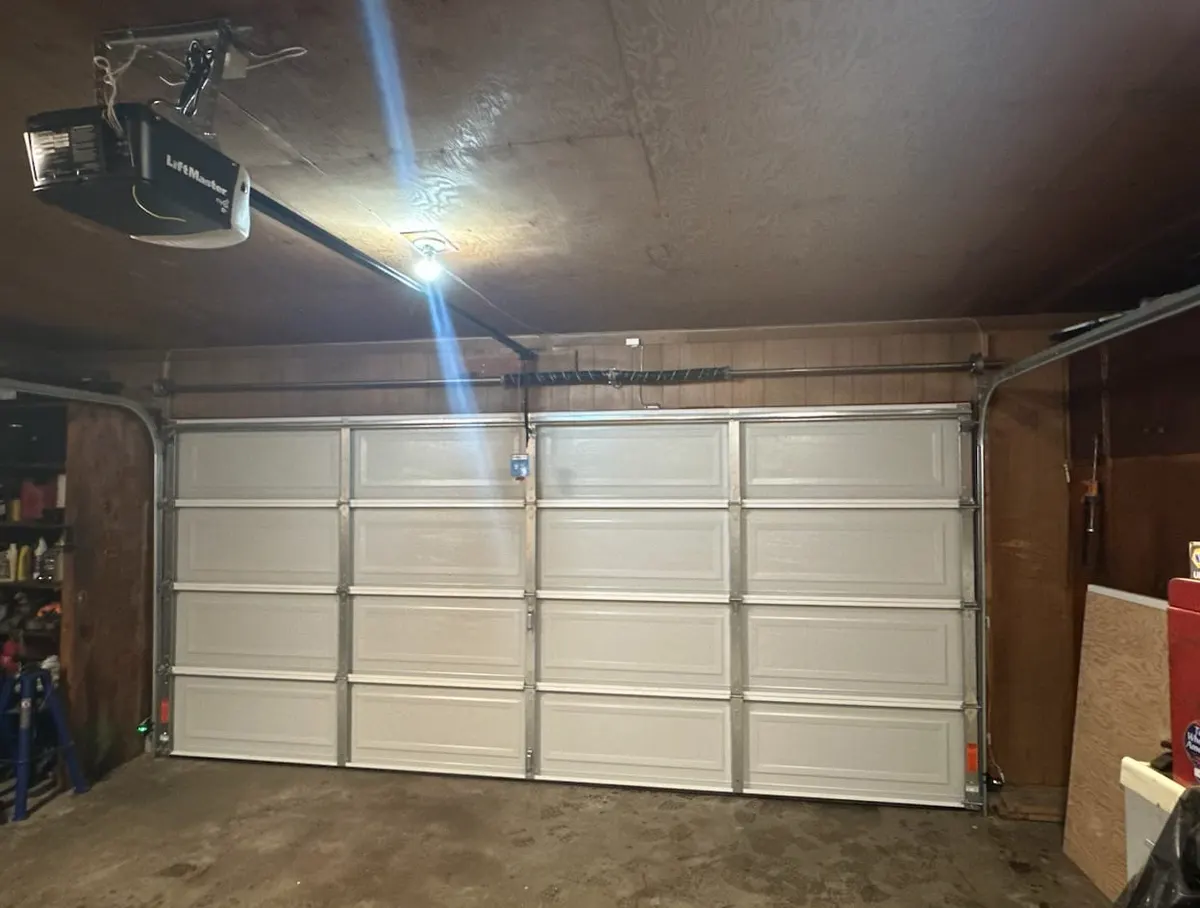
- Find the Learn button. It's on the back or side of the motor unit near the antenna wire, usually purple, orange, yellow, or red depending on brand and age. There's a small indicator light next to it.
- Decide if you want a full wipe or a single addition. Pressing and holding the Learn button for 6–10 seconds until the light goes out erases every remote and keypad code stored in the opener's memory. This is the right move after a lost or stolen remote, since partial fixes can leave the missing device still active.
- Re-enter the devices you're keeping. Press the Learn button once — the light will blink for about 30 seconds. During that window, press the button on the remote you want to activate, or enter and store a new PIN on the keypad's keypad panel.
- Repeat for each device, re-pressing the Learn button before each new remote or keypad entry.
- Test from the driveway, not standing next to the motor unit. Try each device twice to confirm it works at normal range, not just inches from the receiver.
- Close up the housings carefully. If a keypad's battery door or weather seal doesn't sit flush after reassembly, don't force it — swollen plastic from humidity is common here and a cracked seal invites moisture into the contacts.
What to Do Right Away After a Remote Is Lost or Stolen
- Treat it as a security issue the same day, not whenever you get around to it.
- Do the full memory wipe described above — this is the only way to guarantee the missing remote no longer opens the door.
- Reprogram only the remotes and keypads currently in your possession.
- Change the keypad PIN even if the keypad itself wasn't what you lost; a missing remote often means someone also knows or could guess the shared code.
- Check that the door between your garage and the house has its own working deadbolt. Wiping the opener's memory closes one gap, not all of them.
- Write down your opener's model and serial number somewhere other than the garage, so you're not climbing a ladder to find it the next time something goes wrong.
Why LaBelle's Climate Makes This a Little Trickier
Humidity and heat aren't just uncomfortable here — they affect the hardware. Keypad membrane buttons can swell or stick in moist air, which makes a press register as nothing or as two presses at once; wipe the keypad face with a dry cloth rather than spraying any lubricant on the electronics. In homes closer to the river or coastal pockets, salt-laden air corrodes the metal contacts inside remotes and the visor clip springs, which is often why a remote that worked fine indoors stops transmitting reliably after a season outdoors in a truck.
Storm season brings its own issue: power surges during a lightning strike or grid hiccup can scramble an opener's stored codes or damage the circuit board outright, even when the door itself never moved. A basic surge protector on the outlet the opener plugs into is a cheap safeguard most homeowners skip. And because afternoon downpours are routine from late spring through fall, exterior keypads lose battery charge faster than the manual suggests if the housing seal isn't perfect — check batteries on a tighter schedule than you would somewhere drier.
Where to Stop and Call a Technician
Hand this off if any of the following is true: the Learn button's indicator light won't illuminate at all, which usually points to a failed circuit board rather than a programming mistake; your remotes worked yesterday and stopped today with fresh batteries confirmed good, which can mean a dead receiver or a wiring fault; your opener predates rolling-code technology (common on older Genie and Craftsman units) and a remote has gone missing, since fixed-code systems can be cloned with inexpensive tools and deserve a real upgrade, not just a reset; or the wall keypad's low-voltage wiring has been chewed, nicked, or shows corrosion at the terminals.
When to Call LaBelle Overhead Door Co
If your opener's board won't respond after a storm, if an older fixed-code system needs upgrading after a lost remote, or if a keypad's wiring or housing has corroded past the point of a quick fix, our techs handle it as part of standard Garage Door Opener Installation and Garage Door Maintenance & Tune-Up visits — testing the receiver, replacing damaged keypads, and setting you up with current rolling-code hardware that's harder to clone and better sealed against our humidity.
If your remote or keypad isn't cooperating and you're not sure why, call LaBelle Overhead Door Co and we'll get it sorted for your home in LaBelle, FL.